A connected inbox
Keep client messages, introductions and home-related requests organized, with notification preferences you control.

Winning a client takes work. Staying connected after closing should feel natural.
Give every client a home maintenance plan tailored to their home, with timely reminders, your branding and your trusted local professionals. Be the name they see as they care for the place you helped them find.
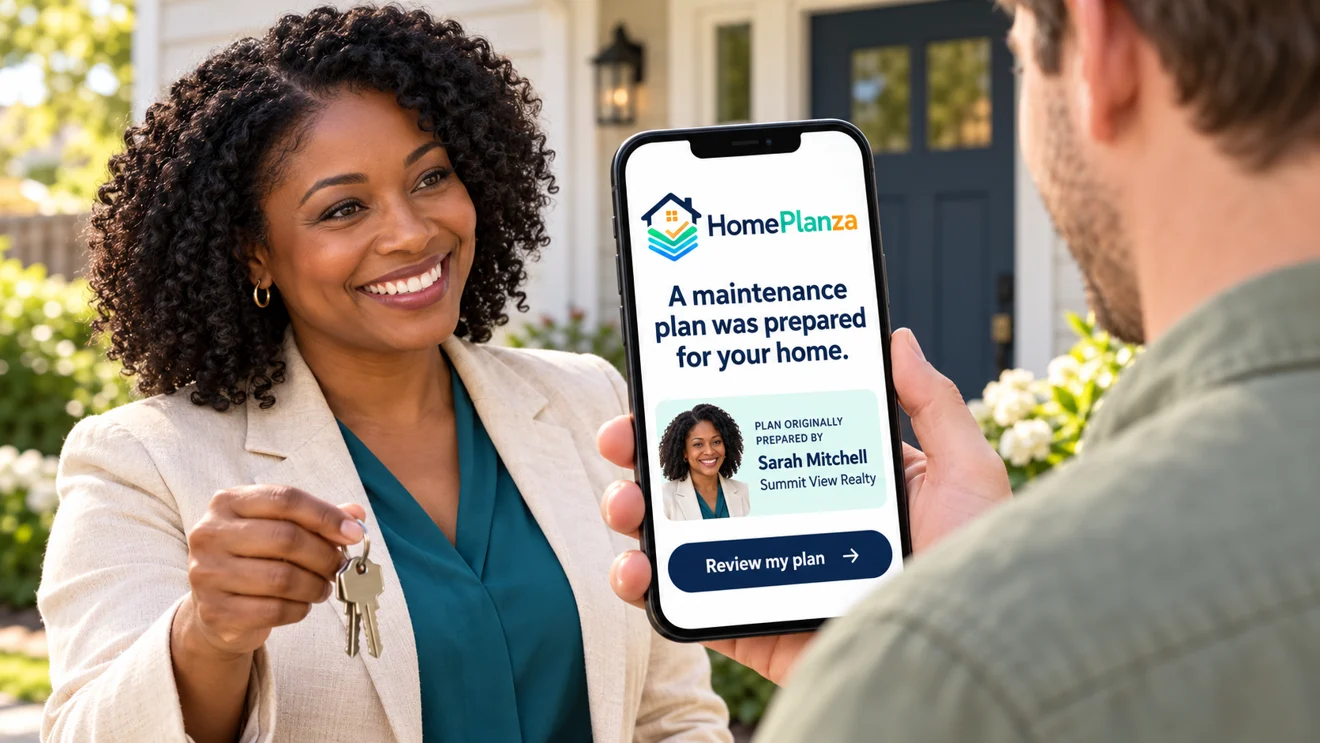
A better handoff at closing.
A connection built for what comes next.
A plan for their homePersonalized around its systems and features.
Your name, throughout the yearBranding alongside timely home-care reminders.
Your network, when it’s neededRecommended providers matched to the work.
You invest in conversations, showings, negotiations and getting the keys into the right hands. Then life moves into the home.
Filters need changing. Seasons turn. Projects begin. HomePlanza puts your brand and your trusted network alongside that experience, giving clients a reason to remember you beyond the sale.
See how it fits your businessOne connected experience for the home they own and the professional who helped them get there.
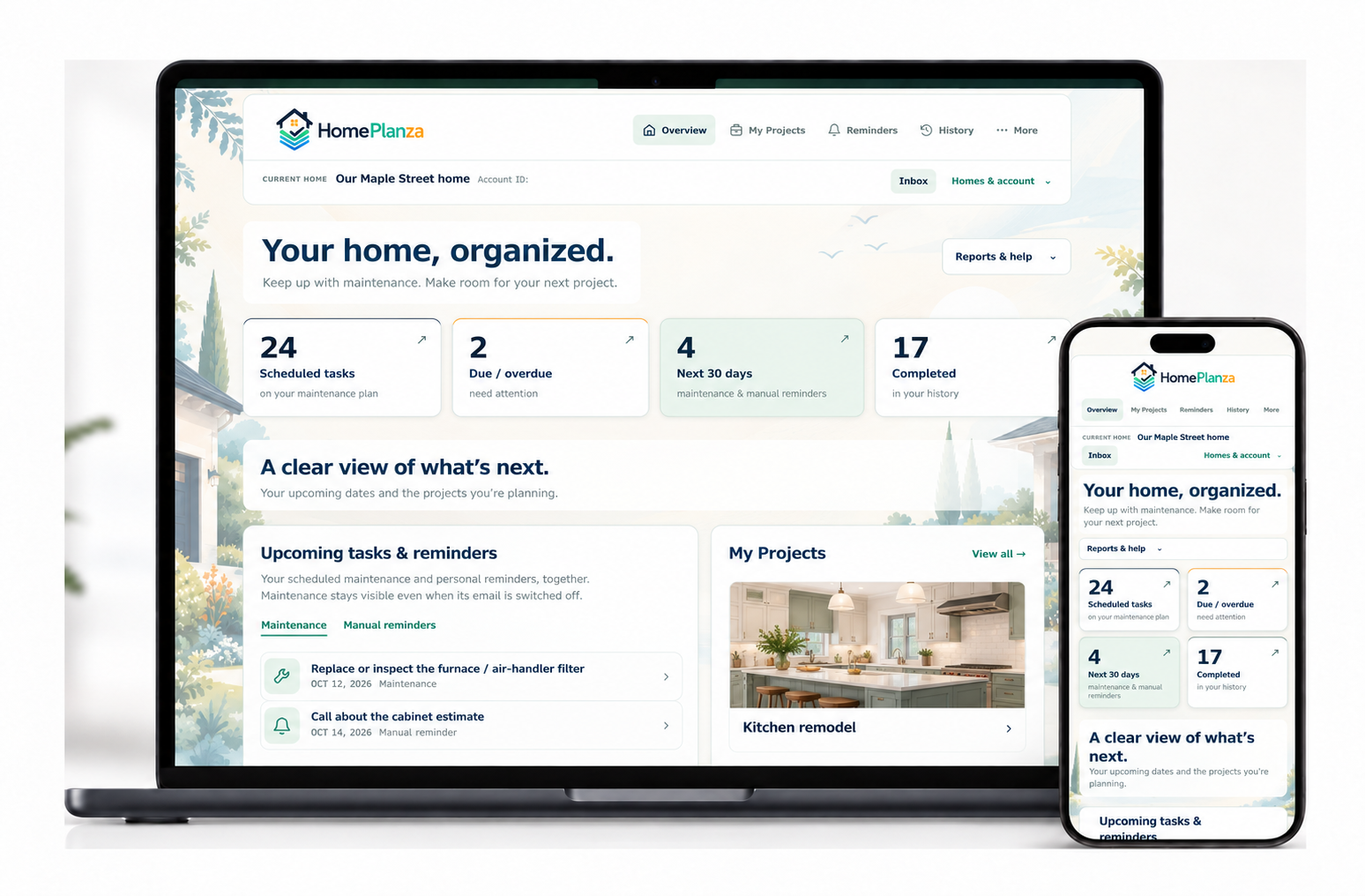 Dashboard illustration
Your client accepts their plan and opens a free, private homeowner dashboard. Their maintenance, home information and projects have a place to live.
Your professional card is part of the homeowner dashboard. Clients can message you, introduce a friend, find your review links or start a conversation about their next move.
A homeowner doesn’t need every service provider every day. When a relevant task comes up, your recommended professional can appear alongside it.
Your private recommendations remain separate from the public directory and paid advertising.
See the provider experienceManage the handoff, the conversations and the details that make your service feel personal. Without adding another daily follow-up routine.
Illustrative viewFictional clients and activity shown.
Illustrative viewHi Sarah! We’re thinking about a few improvements. Could we talk about what our home might be worth?
Absolutely, Alex. Happy to walk through it with you. What have you been considering?
Sent through HomePlanzaFictional conversation. Client messages stay in your inbox.
Illustrative viewFictional businesses from the demo provider library.
Illustrative view
Fictional team. Five credits are reserved for invitations.
Keep client messages, introductions and home-related requests organized, with notification preferences you control.
Add a closing date and your own message for an anniversary email that celebrates another year in their home.
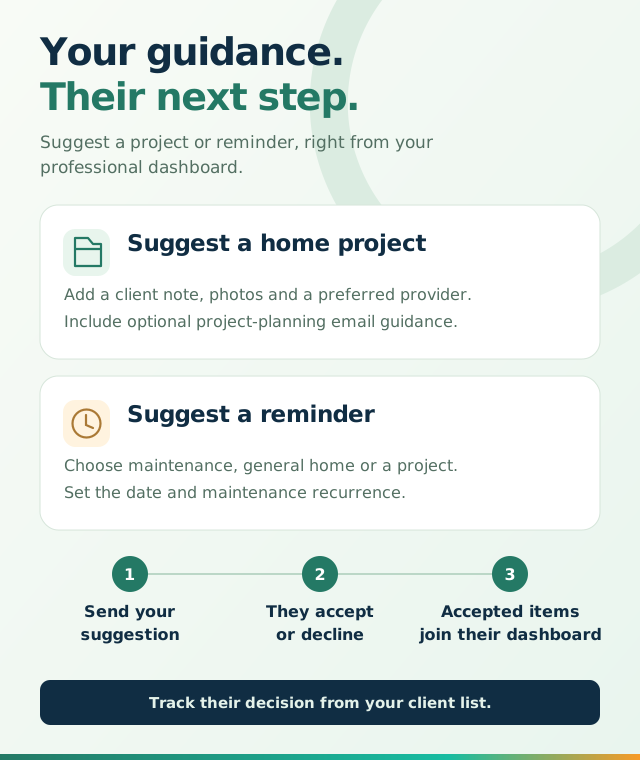
Share home documents and suggest projects or reminders. Clients choose whether to accept your project and reminder suggestions.
Use an individual account, or bring your team together with shared provider recommendations and plan-credit allocation.
Track invitations and shared interactions. Your client’s privately added documents and home records stay private.
Let the home create the reason to stay in touch.
You bring the relationship. HomePlanza gives it room to continue.
Start with a home.
Build on a relationship.
Add your photo, business details, review links and preferred providers. You can leave any service blank and return to it later.
Answer a simple questionnaire about the property. Include relevant documents, projects or reminder suggestions.
Your client accepts their invitation. Their plan, reminders and homeowner dashboard carry the experience forward.
Explore the individual, team and client dashboards at your own pace. The demos are read-only, with fictional profiles and sample homes.
Five plans to choose from, starting at $18/mo.
Choose capacity to match the number of new client plans you create.
1 new client-plan credit each month.
Additional a-la-carte plans are $15 each.
Save $36 · Get all 12 credits immediately.
You’ll confirm your plan and billing cycle during account setup, then continue to secure Stripe checkout.
Talk it through in a demoOne credit per new client/home plan. Ongoing reminders and edits don’t use more credits.
All plans include the professional tools. The homeowner experience stays free.
Subscription credits roll over within your Credit Year and expire at its annual boundary. Your Credit Year starts with your first subscription payment and renews each year. Annual plans deposit all 12 months of credits up front. Additional a-la-carte credits have their own 12-month expiry.
Talk with a HomePlanza representative about your team, brokerage or larger client base.
Get a closer look in a personal demo, or explore the full professional FAQ.
Let’s talkA relaxed video chat, about 20 minutes. We’ll walk through the professional and homeowner dashboards, branded reminders, provider recommendations and the client handoff. Bring questions about your own workflow or your team. Submit the form and we’ll contact you to arrange a time.
Yes. Choose “Start my plan” to create your professional account, complete your profile, select your plan and continue to secure Stripe checkout. Password sign-in with secure recovery keeps account access straightforward. Already registered? Log in to my account.
Your client receives an invitation to accept a personalized home maintenance plan. Their plan, email reminders, optional weather-aware home alerts and private homeowner dashboard are free. They can manage maintenance, projects, equipment and documents, and reach you through your professional card. There is no app to download.
Your professional card carries your photo, name and business information into the homeowner experience and eligible client emails. The Contact button leads clients into their dashboard to message you. In the dashboard, your card also connects clients to your trusted providers, review links, introductions and home-related requests. Preview your card while setting up your profile.
No. Start with the professionals you already recommend. You can leave any service blank and return to it later. Add providers manually or search for their business information. Your recommendations remain separate from the public directory and paid advertising.
No. You can track the plan invitation, shared conversations and the status of your project or reminder suggestions. You can manage documents you provided. Privately added homeowner documents, projects and home records are not opened up to the professional.
Yes. Team accounts let an owner invite members, share provider recommendations and allocate available plan credits. Each member can use their own professional profile. Request a team demo to walk through the structure and capacity that fit your office.
Manage billing through the Stripe portal in your professional dashboard. Accepted homeowner plans and homeowner services continue operating when paid access ends. See the subscription FAQ for credit expiry, plan changes and cancellation details.
See how HomePlanza can become a thoughtful part of your closing process and a lasting part of your client experience.
A personal video conversation. About 20 minutes.